
Why start simple
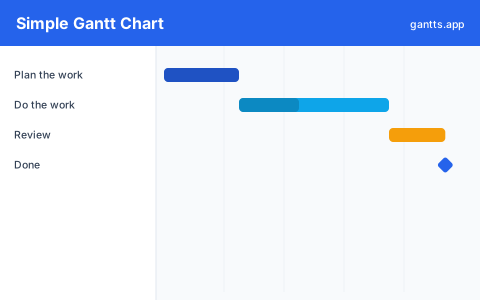
Most project templates try to do everything, resource columns, cost tracking, five nested tabs, and that overhead gets in the way when you just want to map out who's doing what and when. This template strips a Gantt chart back to its essentials so you can capture a plan in a couple of minutes and add detail only if you actually need it. It's ideal for small projects, personal goals, class assignments, and quick client timelines.
What's included
- A short task list, around 8 example tasks you can rename or delete.
- Start date and duration columns that drive the timeline bars.
- One or two milestones for a deadline or delivery date.
- A clean weekly timeline with no distracting extras.
- Excel, PowerPoint and CSV downloads, plus the online editor.
Who uses this template
Anyone who wants a clean starting point, from students and small-business owners to team leads planning a first project, uses this minimal template. With no preset industry clutter, it's the quickest way to lay out tasks and dates on a timeline, then export to Excel, PowerPoint, or CSV, or keep editing online free.
How to customize it
- Rename the tasks to match your project, and delete any rows you don't need.
- Set dates and durations so each bar lands where it should on the timeline.
- Add a milestone for your deadline or launch date.
- Grow it gradually, group tasks into phases only when the list gets long enough to warrant it.
- Export to PDF, PNG, Excel or PowerPoint to share.
Tips for keeping it simple
- One line per deliverable. Resist splitting every task into subtasks; aim for the level of detail you'd actually track.
- Estimate in whole days. Round durations to keep the plan readable, precision to the hour rarely helps at this stage.
- Add structure only when needed. Phases, dependencies and the critical path are one click away in the editor when the project outgrows a flat list.
Related templates
- Project management template, when you're ready for a fuller multi-phase plan.
- Excel Gantt chart template, the same idea, spreadsheet-based.
- Research & thesis template, a simple plan tuned for students.
Frequently asked questions
What makes this a simple Gantt chart template?
It's deliberately minimal: a short task list, start dates, durations and a clean timeline, with no complex formulas, resource columns or extra tabs. It's the fastest way to sketch a plan and grow it later.
Who is the simple template best for?
It suits small projects, personal plans, students, freelancers and anyone who wants a quick timeline without learning a heavy tool. You can always add phases and dependencies as the project grows.
Can I turn the simple chart into a detailed plan later?
Yes. Open it in the free gantts.app editor and add phases, dependencies, milestones and the critical path whenever you need more detail, nothing has to be rebuilt.
Is it really free with no sign up?
Yes. Downloading and editing online are both free with no account, and export to PDF, PNG, Excel and PowerPoint is free too.