Automatic critical path
See the exact chain of tasks that drives your deadline, highlighted the moment dates change, no manual math, no upgrade.
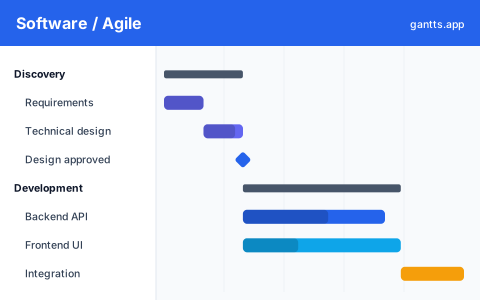
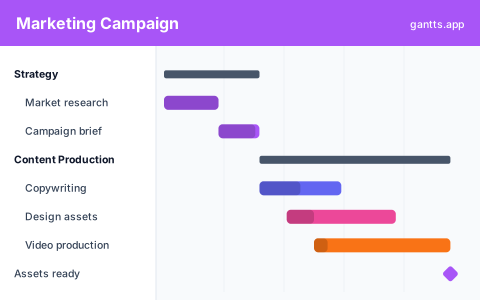
Type or paste your tasks and watch them fall into a clean, interactive timeline. Dependencies, critical path, milestones, then export to PDF, Excel or PowerPoint. No account, ever.
The features other tools charge for, critical path, export, unlimited tasks, are all here, and all free.
See the exact chain of tasks that drives your deadline, highlighted the moment dates change, no manual math, no upgrade.
Move and resize bars on the timeline, set % complete, and reorder tasks. The plan keeps up with you.
Link tasks with finish-to-start and three other types. Arrows redraw themselves when you shuffle dates.
One click to PDF, PNG, Excel and PowerPoint, ready for reports and decks.
Group work into phases with roll-up bars, diamond milestones, and automatic numbering.
No account, no upload. Everything runs and saves in your own browser, save a file whenever you like.
Type them, or paste a plain-text list, durations, phases and "after X" dependencies are detected for you.
Drag bars onto the timeline, connect dependencies, add milestones, and flip on the critical path.
Download to PDF, PNG, Excel or PowerPoint, save a .gantts file, or copy a shareable link.
gantts.app is a lightweight tool that runs entirely in your browser. There's nothing to install, nothing to log into, and no meter running in the background. Open it, plan, export, close, your work is saved locally and it's yours.
Open the Gantt maker.gantts file or export to Excel, PPT, PDF and PNG.Everything you're probably wondering before you dive in.
New to Gantt charts? Start here →Yes, 100% free with no paid tiers, no trial, and no credit card. Every feature, including export and critical path, is free forever.
No. There's no account, no sign up, and no login. Open the site and start building your Gantt chart immediately in your browser.
No. It runs entirely in your web browser on any device, nothing to install. You can even add it to your home screen and use it offline.
Yes. Export to PDF, PNG, Excel (.xlsx), and PowerPoint (.pptx) for free, so you can share, print, or drop it straight into a presentation.
Yes. gantts.app automatically calculates and highlights the critical path, the sequence of tasks that determines your project's finish date. Learn how it works →
It autosaves in your browser as you go. You can also save a .gantts file to your computer and re-open it any time, or copy a shareable link.
Yes, it works in any modern browser on desktop, tablet, and mobile, and installs to your home screen.
No account. No download. Just open the editor and start planning.